
Action Camera Battery Packs: Recording Time, Power Consumption and Battery Life
An action camera’s battery rating does not tell you exactly how long it will record. Resolution, frame rate, stabilization, screen use, wireless connections and temperature can all change the load. The camera may also stop recording because of heat or storage limits before the battery is empty.
For camera manufacturers and product teams, the practical goal is to match the battery pack to a defined recording workload, then verify the complete camera under realistic conditions. This guide explains how to estimate runtime, compare recording modes and select a pack that fits the product.
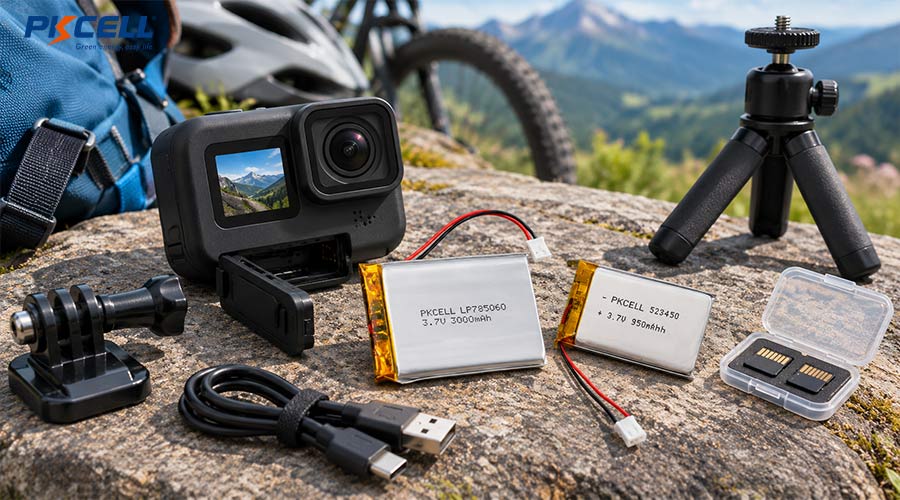
How Long Can an Action Camera Battery Record?
Recording time depends on the battery’s usable energy and the camera’s average power consumption during the selected recording mode. A useful first estimate is:
Estimated recording time (hours) = usable battery energy (Wh) ÷ average recording power (W)
If the camera’s power is measured at the battery terminals, the measurement already includes losses inside the camera’s power-conversion circuits. Do not subtract those same losses again. If power is measured on a regulated output rail instead, account for conversion efficiency separately.
Example: Estimate Runtime From Battery Energy
Assume a 3.85 V, 1,500 mAh pack and an average battery-side recording power of 3.5 W. Its nominal energy is 3.85 × 1.5 = 5.775 Wh. If testing shows that 85% of nominal energy is usable under the selected conditions, the estimate is:
5.775 Wh × 0.85 ÷ 3.5 W = approximately 1.4 hours, or 84 minutes.
These numbers are illustrative, not a claim for a specific camera or PKCELL battery. The 85% factor must be replaced with a value measured for the actual pack, cutoff, temperature and workload. The estimate also assumes recording is not interrupted by a thermal limit, a full memory card or another system constraint.
What Affects Action Camera Power Consumption?
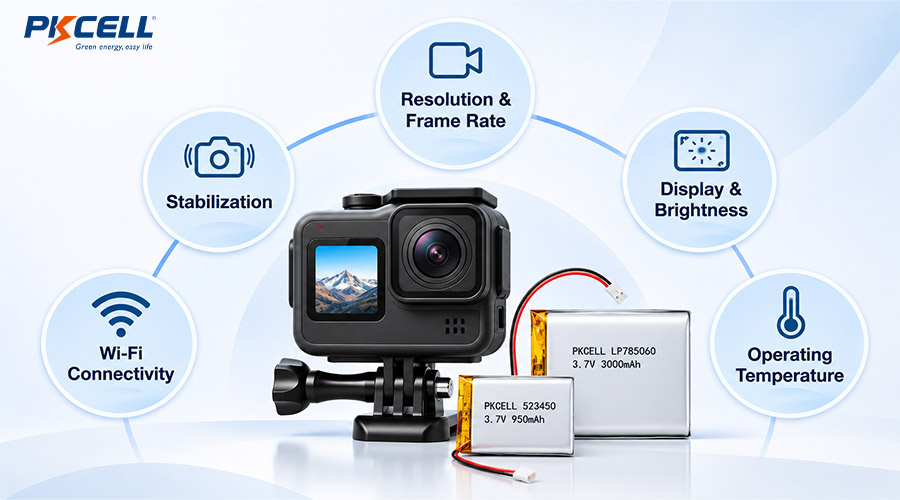
Compare modes on the same camera using the same battery, firmware and test environment. The direction and size of a power change depend on the camera’s hardware and settings.
| Setting or condition | What to investigate | Practical test |
|---|---|---|
| Resolution and frame rate | Sensor, processing and encoding workload may change. | Measure each advertised mode separately. |
| Image stabilization | Processing demand may differ when stabilization is enabled. | Run matched recordings with it on and off. |
| Screen and preview | Display brightness and screen-on time add to the load. | Compare a fixed brightness with screen-off recording. |
| Wi-Fi and accessories | Remote preview, transfers and connected accessories may change consumption. | Test recording alone, then with each relevant connection active. |
| Temperature and airflow | Cold can reduce available energy; heat may trigger camera limits. | Repeat tests in the intended enclosure and environment. |
A higher-resolution mode should not be assigned a fixed power penalty without testing. Firmware, sensor readout and encoding choices can make the relationship between settings and consumption different from one camera to another.
How to Measure Recording Time for an Action Camera
A repeatable test makes runtime figures more useful to engineers, purchasing teams and customers. Use a production-intent camera and battery pack, and record the following procedure with the result.
- Define the mode. Record resolution, frame rate, stabilization, screen brightness, wireless state, firmware and accessories.
- Prepare the equipment. Charge the pack using the approved charging method, use a suitable memory card with enough free space, and note ambient temperature.
- Measure battery-side power. Log voltage and current over time with suitable instrumentation. Calculate average power from the time average of voltage multiplied by current.
- Record the endpoint. Note elapsed recording time and whether recording stopped because of low battery, thermal protection, storage, a recording limit or another cause.
- Repeat and compare. Test multiple representative samples and relevant temperatures. Report the test conditions alongside the result.
For mixed use, measure the energy consumed by each phase, such as recording, preview, standby and file transfer. Add the energy for the expected use pattern rather than assuming that the camera records continuously throughout the day.
Separate Battery Runtime From Thermal Recording Limits
A camera that stops recording while its battery still has charge has reached a system limit, not necessarily the end of battery runtime. Check the displayed warning, surface and battery temperatures, remaining charge and saved files. Repeat the test with the intended mount, enclosure and airflow before changing the battery specification.
Choosing an Action Camera Battery Pack
Compare Watt-Hours, Not mAh Alone
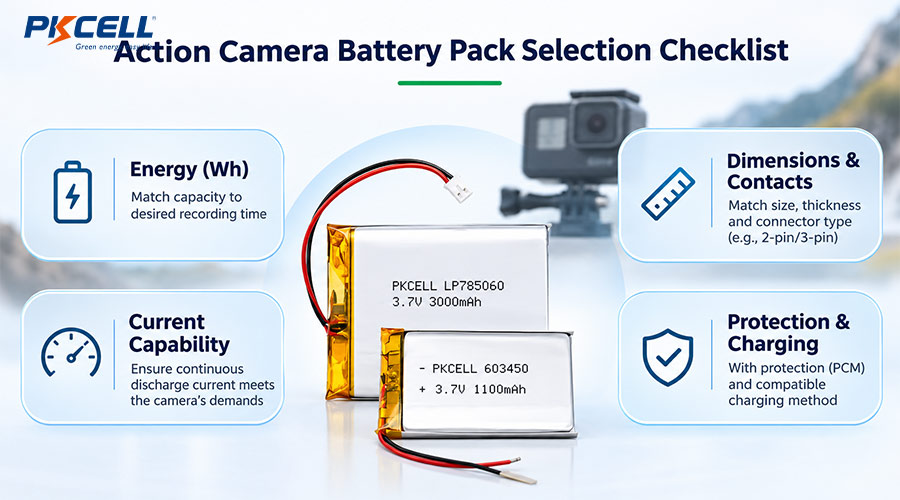
Capacity in milliamp-hours describes charge, while watt-hours combine capacity and nominal voltage. Two packs with the same mAh rating but different voltages do not have the same nominal energy. Compare:
Nominal energy (Wh) = nominal voltage (V) × capacity (mAh) ÷ 1,000
Nominal energy is a starting point, not guaranteed usable energy. Verify the cell’s minimum capacity, the camera’s operating voltage range, discharge cutoff and performance at the intended load. PKCELL’s guide to reading a lithium-ion cell datasheet explains other specifications to review during selection.
Match the Pack to the Camera’s Physical Design
Compact cameras often have tight limits on battery thickness, contact placement and enclosure space. A lithium-polymer pouch format may be worth evaluating where a flat shape is important; a cylindrical format may suit a different housing or an external power accessory. Neither format is automatically the best choice.
Review available space for the cell, protection circuit, insulation, contacts and mechanical tolerances. For removable packs, check insertion orientation, retention, contact wear and the fit of the battery door. For all designs, provide appropriate space and support for the selected cell according to its specification.
Explore PKCELL’s lithium-polymer battery range and 18650 battery pack options as starting points for a project-specific evaluation. A listed product should only be used after its electrical, mechanical and safety compatibility has been confirmed.
Check Current, Protection and Charging Compatibility
The pack must support the camera’s continuous recording load and short peaks without excessive voltage drop or unwanted protection trips. Assess the cell, protection circuit, contacts and complete current path together, including performance at low charge and the relevant temperatures.
Match the charger to the approved cell chemistry and voltage limits. If the camera supports recording while connected to external power, test that operating mode separately: charging, camera load and temperature must remain within the approved system limits. PKCELL’s custom battery pack safety margin guide provides a broader framework for evaluating design limits.
How to Improve Recording Time and Battery Service Life
Recording time means operation on one charge; service life describes how long the battery remains fit for use as it ages. Improving one does not automatically guarantee the other.
- Optimize the workload: Measure which settings materially affect power before changing resolution, screen behavior or wireless features.
- Control heat: Test the battery temperature during long recording sessions and charging, including use inside the intended housing.
- Follow approved temperature limits: Use the selected cell and charger specifications for charging, discharging and storage. Do not charge a cold battery outside its permitted charging range.
- Plan for aging: Define the minimum acceptable recording time near the end of service life, not only with a new pack.
- Use compatible packs: Confirm dimensions, contacts, voltage, protection and any identification or communication requirements before approving a replacement.
For outdoor products, test the complete camera at the lowest intended operating temperature and again after the pack has aged. A cold or aged pack can show greater voltage sag under load, causing an earlier shutdown even when its room-temperature capacity appears adequate.
Action Camera Battery Pack FAQ
Does a larger mAh rating always mean longer recording time?
No. Compare nominal voltage and watt-hours as well as capacity. The pack must also fit the camera and deliver the required current within the operating voltage and temperature limits.
Will 4K recording always drain a battery faster?
Not necessarily by a predictable amount. Resolution is only one setting; frame rate, processing, display and wireless use also matter. Measure the actual camera in each configuration before publishing a comparison.
Why does an action camera stop recording before the battery is empty?
Possible causes include a thermal limit, a full or unsuitable memory card, a recording limit, or a voltage-related shutdown under load. Inspect the device message and test log to identify the actual endpoint.
Can an external battery extend recording time?
It may, if the camera supports operation from an appropriate external supply. Confirm input voltage, connector, power delivery, weather protection and charging-while-recording behavior with the camera manufacturer. External power does not remove a camera’s thermal or storage limits.
Conclusion
A useful action camera battery specification begins with a clear recording target and a measured power profile. Compare packs in watt-hours, account for the actual operating conditions, and validate both recording duration and the reason each test ends. Mechanical fit, current capability and charging compatibility are just as important as capacity.
Discuss Your Action Camera Battery Project
Developing an action camera or related accessory? Share your target recording time, measured power profile, battery dimensions, operating temperatures, connector requirements and expected order quantity with PKCELL.
Post time: Nov-23-2026


